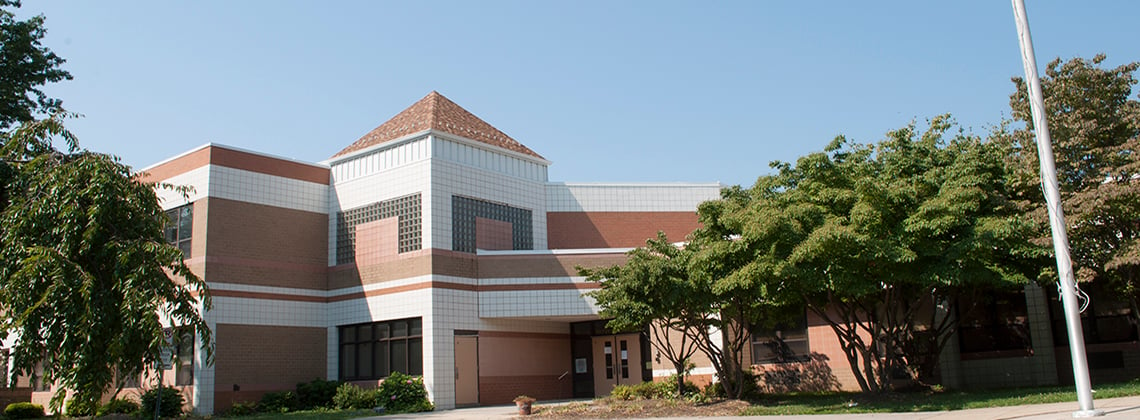
En Waters Landing, nuestra mision es fomentar un ambiente de aprendizaje positivo para todos los integrantes
|
Department of Family and Community Partnerships
Coffee and Conversation
Parents are invited to stop in for coffee and conversation anytime between 9:00 a.m. and 11:00 a.m on Saturday, February 20, 2010 or Saturday , April 17, 2010 , at the office of the Department of Family and Community Partnerships (DFCP). It's a great opportunity to ask questions, find out about programs and services in the school system, and pick up tips on how to support learning at home. Staff will be available to help parents activate and use their Edline accounts and to demonstrate other MCPS web resources. DFCP is located at 850 Hungerford Drive, Rockville, in Room 50. Enter through the West entrance. For more information, please call 301-279-3100.
SPANISH
Los padres están invitados a tomar café y a conversar el viernes, 22 de enero de 9:00 a.m. a las 11:00 a.m.en las oficinas del Departamento de Alianzas con la Familia y la Comunidad (DFCP). Será una gran oportunidad para traer sus preguntas, informarse sobre programas y servicios existentes en el sistema escolar, y llevarse ideas sobre como apoyar los estudios en casa. Los empleados estarán disponibles para ayudar a los padres sobre como activar y usar Edline y otros recursos del Internet de MCPS. DFCP está situado en 850 Hungerford Drive, Oficina #50, en Rockville, Maryland. Para más información, llamar al 301-279-3100.
H1N1 (Swine) Flu Vaccination Information
Montgomery County Department of Health and Human Services will offer H1N1 (swine) flu vaccine to MCPS students, private school students and other healthy children from 2 years up to 18 years of age at FREE school-located clinics.
The H1N1 (swine) flu nasal spray and injectable (flu shot) vaccine will be offered as it is available. Individuals cannot receive the H1N1 (swine) flu nasal spray within 28 days of receiving the seasonal nasal spray (FluMist) vaccine.
For more information on the H1N1 (swine) flu vaccination program, please visit the MCPS web site at http://www.montgomeryschoolsmd.org/emergency/h1n1/.
School Continuance Plan - H1N1
If Waters Landing Elementary is closed due to a high level of absences from the H1N1 virus, students in all grade levels can access activities to be completed at home. Find your child’s grade level and click on the H1N1 icon to access lessons and activities.
Safe Schools Hotline
Everyone can contribute to a safe and healthy school environment. Often, tips from parents and students can prevent youth violence, drug and alcohol abuse, gang involvement and other dangers to the safety of students. MCPS has a confidential Safe Schools Hotline to report threats, or safety and security violations. This anonymous service is available 24 hours a day/seven days a week.
* Safe Schools Hotline: 301-517-5995
* More hotline information
MCPS also has a process to document and investigate incidents of bullying, harassment and intimidation against students attending public schools that occur on school property, on a school bus or at a school-sponsored activity. Bullying, harassment, or intimidation can be verbal, physical, or written (including electronic). Reports of bullying may be made by students, parents, close adult relatives and school staff members.
The reports are made on the Bullying Harassment or Intimidation Reporting Form (MCPS Form 230-35), which is available at all schools and on the MCPS website. Reports are submitted to the school principal.
ALERT MCPS
Montgomery County Public Schools Launches ALERT MCPS
New Service Provides Information Via Email and
Text Message About Changes in School System Operations
Due to Weather and Other Emergencies
ROCKVILLE, MD—Montgomery County Public Schools (MCPS) has launched Alert MCPS, a new way for the public to receive messages about major changes in school system operations— systemwide school closures or delays due to snow or other emergency conditions.
MCPS currently communicates emergency or systemwide operational changes through various media, including the MCPS website, MCPS ITV Channel 34, QuickNotes email service, Twitter, recorded emergency information telephone line (301-279-3673), and local media outlets. Alert MCPS adds the ability to communicate via text messages delivered to electronic devices such as cell phones and wireless Personal Data Assistants. This new service will provide messages in English and Spanish.
Individuals can subscribe to Alert MCPS by signing on to the Alert Montgomery website at https://alert.montgomerycountymd.gov, where subscribers can also sign up to receive emergency messages from Montgomery County and other local government agencies.
The Alert MCPS service is free of charge; however, subscribers will be advised to check with their wireless carrier regarding any costs associated with receiving text messages. Additional information is available on the MCPS website at http://www.montgomeryschoolsmd.org/info/emergency/sources/alertmcps/
Kids' College
Montgomery College is again offering Kids' College, enrichment courses for students in Grades Pre-K-12. Classes are now offered on the Germantown as well as Rockville campus! Check this wonderful opportunity out at www.montgomerycollege.edu/youth or call 240-567-7917 or 240-567-7264. Keyboarding for Computers may be of particular interest to those students in Grades 4-6. Your child can learn how to type on the computer with expert instruction.
School is Back in Session at the Parent Academy
The MCPS Parent Academy offers free workshops that provide information on topics such as the Seven Keys to College Readiness, strengthening advocacy skills, helping with homework, understanding the special education process, cybersafety, and communicating with your child's teachers. These parent workshops are held at convenient locations throughout the county. Interpreters and childcare are provided.
* Sign up for the classes
* For more information call 301-517-5940
* Parent Academy
Keep in Touch with "ASK MCPS"
If you have a question about the school system, call the ASK MCPS Telephone Information Center at 301-309-MCPS (- 6277) between 7:30 a.m. and 5:30 p.m. Monday through Friday. Answers are provided in English and Spanish. You also can get information by sending an e-mail to AskMCPS@mcpsmd.org, or by stopping in to the offices of the Department of Communications' Division of Family and Community Partnerships (DFCP) weekdays between 8:30 a.m. and 5:00 p.m. Also look for ASK MCPS events throughout the year held at DFCP and in neighborhood locations.
2009-10 MCPS Parent Guides
Elementary School Parent Guides for the school year are available on-line at the MCPS web site. These guides will give you an overview of each grade level program and explain what your child will be learning in art, mathematics, music, physical education, reading/ language arts, science, and social studies during this school year. In addition, you will also find information on ways of gathering evidence of what students learn, how parents can help, and curriculum resources for parents (many of these on-line resources have been added to our web site - please visit "Curriculum Help" for more information). The information in these guides will assist you in providing support for your child throughout the school year. The guides are available in Adobe Acrobat PDF format in the following languages: English, Spanish, Korean, Chinese, French, and Vietnamese. The Parent Guides can be accessed through the following link: http://www.montgomeryschoolsmd.org/curriculum/elementary/parentguides.shtm
myLunchMoney.com Now Available
Most families struggle with busy schedules and it's hard to find time in the morning to write a check, search for lunch money or monitor your child's meal history and balance. myLunchMoney.com is now being offered as a convenience for interested families. myLunchMoney.com allows parents to make prepayments to their child's cafeteria account via the Internet with a credit/debit card. By creating a secure online account, parents can manage their child's meal account easily and conveniently. There is a $1.95 convenience fee for each payment made. All fees will be displayed at the time of payment. However, there is no cost to set up an account and check your child's spending history or receive low balance notifications. The Division of Food and Nutrition Services and the school do not receive any income from providing this service. For more information, please visit their web site, www.mylunchmoney.com, or read their brochure.
La mayoría de las familias luchan con sus horarios atareados y es difícil tomar tiempo por la mañana para escribir un cheque, buscar dinero para el almuerzo o revisar el historial y el balance de comidas de su hijo/a. myLunchMoney.com es un servicio nuevo que se ofrece para la conveniencia de familias interesadas. myLunchMoney.com permite que los padres hagan prepagos a la cuenta de la cafetería de sus hijos usando el Internet y una tarjeta de crédito/débito. Al crear una cuenta segura en línea, los padres pueden manejar la cuenta de comidas de sus hijos fácil y convenientemente. Por cada pago que se haga, hay que pagar una suma de $1.95. Todas las cuotas aparecen en el momento de pagar. Sin embargo, no se incurre ningún costo al establecer una cuenta o al revisar el historial de gastos de su hijo/a o al recibir una notificación de balance bajo. Division of Food and Nutrition Services y la escuela no reciben ningún ingreso por proveer este servicio. Visita a www.mylunchmoney.com. Preguntas Frecuentes