Office of the Chief Technology Officer → Department of Instructional Technology → 21st Century Classroom
|
21st Century Classroom Online TutorialClick the desired Simulation link listed below. You will see an instructional example of how to use the activity in the classroom (Show Me) and then you will receive step-by-step instructions for creating the activity (Teach Me). |
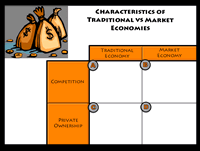
Activity |
Description |
Rub and RevealSimulation (ActivInspire) Handout (ActivInspire) |
Text and objects are covered with an annotation and revealed with the Eraser tool. Instructional uses: |
Drag and DropSimulation (ActivInspire) Handout (ActivInspire) |
Text and objects are moved to an appropriate place within a flipchart. Instructional uses: |
ActivoteHandout (ActivInspire 1.4) Handout (ActivInspire 1.5) |
A variety of questions are presented and students respond using an electronic device. Student responses are recorded on a flipchart page and can be used for data-driven instruction. Instructional uses: Pre- and post-assessmentHigher order thinkingChecking for understandingEquitable practice: all pupil response Pre- and post-assessmentHigher order thinkingChecking for understandingEquitable practice: all pupil response |
Pull OutSimulation (ActivInspire) Handout (ActivInspire) |
Text and objects are hidden behind a locked image. These items can be pulled out and used during instruction. Instructional uses:MatchingSequencingStudent discourseEquitable practice: random calling strategy |
Graphic OrganizerHandout (ActivInspire) |
A visual tool used to arrange thoughts, concepts, or ideas. Instructional uses:PrewritingBrainstormingOrganizationGrouping |
Using ColorsHandout (ActivInspire) |
Colors are used to reveal text and objects. Instructional uses:Student discourseChecking for understandingMatchingScaffolding |